WhatsApp Business + website: how to integrate them properly
Connect your website with WhatsApp Business to respond faster and close more sales.
David Lucas
Nexora
WhatsApp is where your customers are
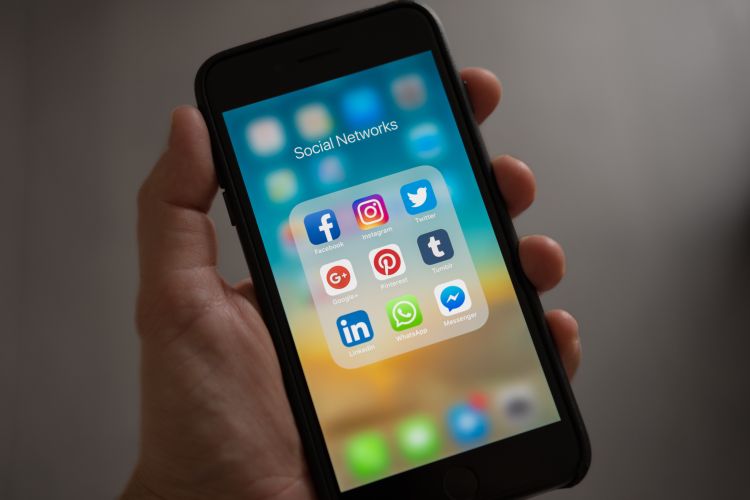
In Latin America, over 95% of smartphone users use WhatsApp. It's not just another social network — it's the primary form of communication. If your business isn't leveraging WhatsApp professionally, you're missing the most powerful sales tool available.
But having WhatsApp isn't enough. The magic is in integrating it properly with your website to create a sales flow that works on its own.
Personal WhatsApp vs. WhatsApp Business
If you're still using your personal WhatsApp for business, this is the first change you should make. WhatsApp Business is free and gives you features your personal WhatsApp doesn't have:
Business profile. Address, hours, website, product catalog — all visible to your customers.
Quick replies. Predefined messages you send with a shortcut. Ideal for FAQs like pricing, hours, or location.
Away messages. When you're unavailable, your customers receive an automatic response with useful information.
Welcome messages. The first message someone receives when they write you for the first time.
Labels. Organize your conversations by status: "New," "Negotiating," "Paid," "Delivered."
Product catalog. Show your products with photo, price, and description directly in WhatsApp.
How to integrate WhatsApp with your website
1. Floating WhatsApp button
The most common and most effective. A green WhatsApp button that appears in the bottom corner of your website. Clicking it opens a direct conversation with you.
How to implement it: The link is simple: `https://wa.me/1YOURNUMBER?text=Hi,%20I%20saw%20your%20website`. Clicking opens WhatsApp with a pre-filled message.
Tip: Customize the pre-filled message based on the page where the button is. If they're on your services page, the message can say "Hi, I'm interested in learning about your web development services."
2. WhatsApp button as main CTA
Instead of (or in addition to) a contact form, add a "Write us on WhatsApp" button as your main call to action. Many users prefer WhatsApp because it's immediate and familiar.
Fact: In our experience, WhatsApp buttons have a click rate 3x to 5x higher than traditional contact forms.
3. Link on the contact page
Your contact page should have every way to communicate with you. Add a direct WhatsApp link along with your email, phone, and social media.
4. WhatsApp in the navigation menu
Add a WhatsApp icon in your website header, visible on all pages. It's especially useful on mobile where a single tap opens the conversation.
5. Customized messages per product or service
If you sell different products or services, each can have its own WhatsApp button with a different pre-filled message. This helps you know exactly what the customer is interested in before they write.
Example: On an e-commerce page, each product can have an "Ask on WhatsApp" button that sends: "Hi, I have a question about [product name]."
Advanced strategies
Smart automatic responses
With tools like the WhatsApp Business API or platforms like Twilio, you can set up more sophisticated automatic responses: interactive menus, catalog sending, appointment confirmations, payment reminders.
Basic chatbot
A WhatsApp chatbot can answer FAQs 24/7, filter qualified leads, and only escalate to a human when necessary. You don't need complex AI — a simple options flow already makes an enormous difference.
Post-sale follow-up
After a sale, send a thank-you message, ask for a review, offer a discount for the next purchase. All automated.
Metrics you should track
1. WhatsApp button clicks. How many people click? If it's low, change the button's position or text.
2. Response time. How long do you take to respond? Every minute that passes, the probability of closing the sale drops.
3. Conversion rate. Of everyone who writes you on WhatsApp, how many end up buying?
4. Peak hours. What time do people write you most? Make sure you have availability during those hours.
Common mistakes
1. Not responding quickly. If someone writes you on WhatsApp, they expect a response in minutes, not hours.
2. Using personal WhatsApp. Mixing personal messages with clients is unprofessional and makes follow-up difficult.
3. Sending spam. Don't add people to groups or send unsolicited promotions. It's the fastest way to get blocked.
4. No away message. If you can't respond, at least let the customer know when to expect a reply.
At Nexora we integrate WhatsApp in every project
All our websites include WhatsApp Business integration as part of development. If you need something more advanced — chatbots, API, automations — we do that too. Let's talk about how to supercharge your WhatsApp channel.